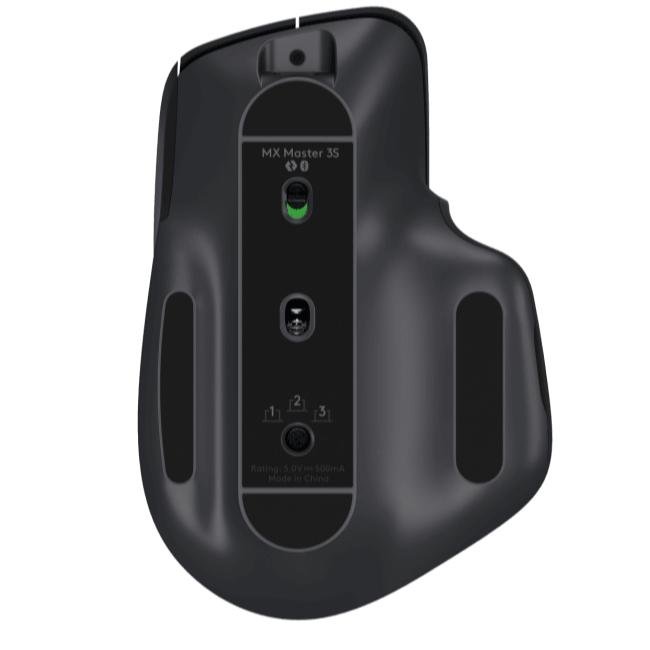
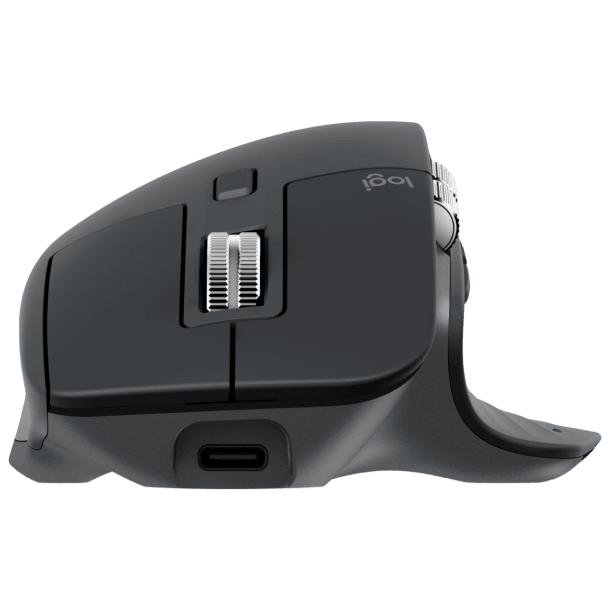
Description
Logitech MX Master 3S – Complete Review and Buying Guide (2026)
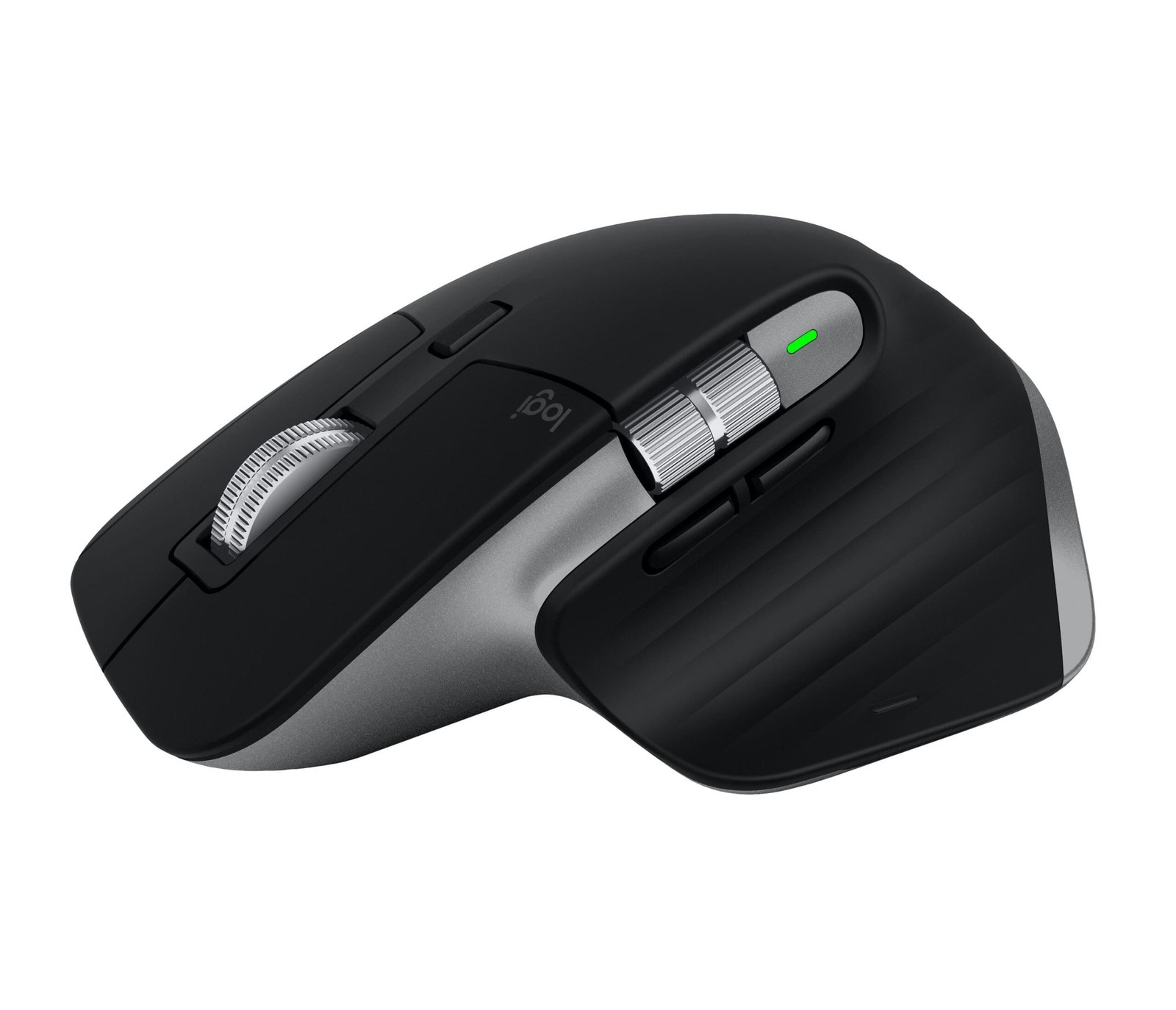
The Logitech MX Master 3S is widely regarded as one of the best productivity mice available today. Built for professionals, creators, developers, and multitaskers, it combines premium ergonomics with advanced productivity features.
Whether you are:
- A graphic designer
- Video editor
- Digital marketer
- Programmer
- Office professional
- Content creator
the MX Master 3S is designed to improve comfort, workflow efficiency, and multitasking.
Compared to ordinary wireless mice, the MX Master 3S offers:
- Better ergonomics
- More precise tracking
- Silent clicks
- Advanced customization
- Multi-device support
This is why it has become one of the most popular premium productivity accessories worldwide.
Key Specifications
| Specification | Details |
| Sensor | Darkfield High Precision |
| DPI | 200–8000 DPI |
| Connectivity | Bluetooth + Logi Bolt Receiver |
| Battery | Rechargeable via USB-C |
| Battery Life | Up to 70 Days |
| Buttons | 7 Customizable Buttons |
| Scroll Wheel | MagSpeed Electromagnetic |
| Compatibility | Windows, macOS, Linux, iPadOS |
| Charging Port | USB-C |
Premium Ergonomic Design
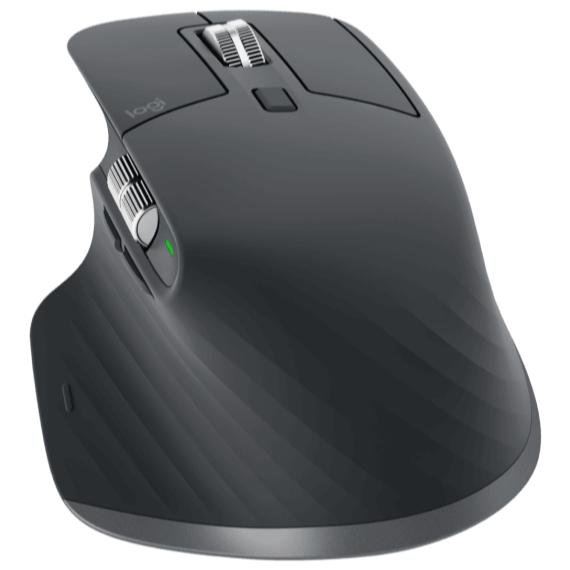
One of the biggest reasons professionals prefer the MX Master 3S is its ergonomic shape.
The mouse is designed to:
- Support the palm naturally
- Reduce wrist strain
- Improve long-term comfort
The sculpted body and thumb rest make it ideal for:
- Long office sessions
- Editing workflows
- Heavy multitasking
Compared to smaller mice, the MX Master 3S feels significantly more comfortable during extended usage.
8K DPI Precision Tracking
The MX Master 3S includes Logitech’s advanced Darkfield sensor with up to 8000 DPI sensitivity.
Benefits include:
- Precise cursor movement
- Smooth tracking
- Better multi-monitor control
- Works even on glass surfaces
This makes it excellent for:
- Graphic design
- 4K/5K displays
- Video editing
- Detailed productivity tasks
Silent Click Technology
The MX Master 3S introduces quiet click switches.
Compared to previous models:
- Clicks are significantly quieter
- Office environments become less distracting
- Long work sessions feel more comfortable
This feature is especially useful for:
- Shared offices
- Studios
- Content creators
- Night-time work setups
MagSpeed Scroll Wheel
The MagSpeed electromagnetic scroll wheel is one of the best features of the MX Master 3S.
It allows:
- Extremely fast scrolling
- Precise scrolling
- Smooth and quiet movement
Benefits:
- Scroll through thousands of lines quickly
- Better timeline navigation
- Faster document handling
Perfect for:
- Excel users
- Video editors
- Developers
- Researchers
Multi-Device Connectivity
The MX Master 3S supports:
- Bluetooth connectivity
- Logi Bolt wireless receiver
- Up to 3 devices simultaneously
You can switch instantly between:
- Laptop
- Desktop
- Tablet
This feature is extremely useful for professionals who use multiple devices daily.
Logitech Flow – Cross Device Workflow
Logitech Flow allows users to:
- Move the cursor between computers
- Copy-paste files across devices
- Share text between systems
This creates a seamless multi-device workflow.
Ideal for:
- Designers
- Editors
- Developers
- Productivity users
USB-C Charging and Battery Life
The MX Master 3S includes:
- USB-C fast charging
- Up to 70 days battery life
Even a quick charge provides several hours of usage.
Advantages:
- No disposable batteries
- Convenient charging
- Long-term reliability
Customization Features
Using Logitech Options+ software, users can:
- Customize buttons
- Create application-specific shortcuts
- Adjust DPI
- Configure gestures
You can create different profiles for:
- Photoshop
- Premiere Pro
- Excel
- Browsers
- Coding tools
This dramatically improves productivity.
Best Use Cases
Office Productivity
Excellent for:
- Documents
- Excel
- Multitasking
- Presentations
Graphic Design
Useful for:
- Adobe Photoshop
- Illustrator
- Figma
- UI/UX design
Video Editing
The scroll wheel and customizable buttons improve:
- Timeline navigation
- Workflow speed
- Editing efficiency
Programming and Development
The ergonomic design and precision tracking make it ideal for developers who work long hours.
Gaming Performance
The MX Master 3S is not designed for competitive gaming.
Although it performs smoothly, gaming-focused mice offer:
- Higher polling rates
- Lighter weight
- Faster click response
However, it works perfectly for:
- Casual gaming
- Strategy games
- Hybrid work + gaming setups
Logitech MX Master 3S vs MX Master 3
| Feature | MX Master 3 | MX Master 3S |
| DPI | 4000 | 8000 |
| Click Noise | Standard | Silent |
| Sensor | Good | Improved |
| Precision | High | Higher |
The MX Master 3S improves:
- Tracking precision
- Click noise
- Workflow experience
Logitech MX Master 3S vs Apple Magic Mouse
| Feature | MX Master 3S | Magic Mouse |
| Ergonomics | Excellent | Average |
| Battery | Better | Moderate |
| Productivity | Excellent | Good |
| Multi-device | Yes | Limited |
| Comfort | Excellent | Lower |
The MX Master 3S is generally considered far superior for professional productivity.
Nepal Price
The Logitech MX Master 3S price in Nepal is approximately:
- NPR 14,000 – 18,000 depending on availability and variant.
Pros and Cons
Pros
- Excellent ergonomic design
- Silent clicks
- Outstanding scroll wheel
- Multi-device support
- Long battery life
- Premium build quality
Cons
- Expensive compared to normal mice
- Not ideal for competitive gaming
- Large size may not suit all users
Best For
| User Type | Recommended |
| Office Professionals | Yes |
| Designers | Yes |
| Video Editors | Yes |
| Developers | Yes |
| Students | Yes |
| Competitive Gamers | Not ideal |
Recommended Setup
The MX Master 3S works perfectly with:
- BenQ creator monitors
- Dual monitor setups
- MacBook workstations
- Windows productivity setups
Recommended accessories:
- Logitech MX Keys
- BenQ PD series monitors
- Ergonomic desk setups
Frequently Asked Questions (FAQs)
Is Logitech MX Master 3S worth buying?
Yes. It is one of the best productivity mice available for professionals and creators.
Is MX Master 3S good for video editing?
Yes. The scroll wheel and customizable buttons improve editing workflows significantly.
Is MX Master 3S good for programming?
Yes. Its ergonomic design and precision make it excellent for developers.
Can MX Master 3S connect to multiple devices?
Yes. It supports up to 3 devices simultaneously.
Is MX Master 3S good for gaming?
It is suitable for casual gaming but not designed for competitive esports gaming.
Conclusion
The Logitech MX Master 3S is one of the best premium productivity mice available in Nepal.
It delivers:
- Exceptional comfort
- Advanced productivity features
- Excellent customization
- Professional-grade workflow improvements
For professionals, creators, and multitaskers, it is a worthwhile long-term investment, Contact Us
Reviews
There are no reviews yet.